How to Recreate a Viral Instagram Carousel in Seconds (2026)
Paste a viral Instagram carousel, swap in your products, and post a swipe-ready carousel to IG and Facebook in minutes with OnPromptAds Brands. No designer. No Canva all-nighter.
The fastest way to recreate a viral Instagram carousel in 2026 is not to redraw it in Canva. It is to paste the public carousel link into OnPromptAds Brands, map your Shopify (or catalog) products onto each slide, regenerate the frames with AI, then post or schedule straight to Instagram and Facebook.
This is the exact flow we use inside Carousel Studio: Template → Product → Review → Post. Below is the real walkthrough, with screenshots from a footwear carousel we rebuilt in minutes.
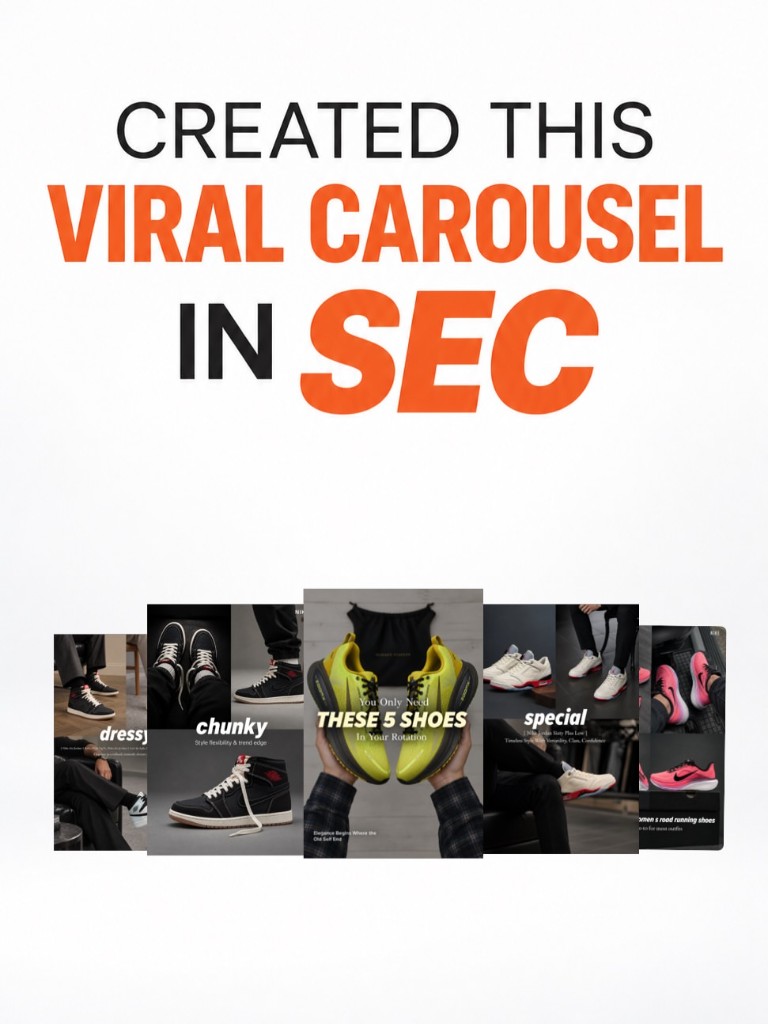
Why viral carousels win (and why most brands never ship them)
Instagram and Facebook carousels still outperform single images for ecommerce when the storytelling is right. A swipe sequence can:
- Hook with a listicle or bold claim
- Show multiple products or angles without feeling like a catalog dump
- Sell with a CTA slide that sends people to the store
The problem is production. Remaking a viral carousel by hand means screenshotting slides, recreating layouts, hunting product photos, writing overlays, exporting 4:5 frames, then uploading to Meta. That is a half-day job. Most small brands skip it. The ones that ship weekly win the feed.
OnPromptAds Brands collapses that into four steps.
See AI ads for your own store, free
Paste your store URL and watch OnPromptAds turn your live product catalog into ready-to-run Facebook, Instagram and Meta creatives. Founding seats, no card required.
What you need before you start
- A public Instagram carousel URL (
instagram.com/p/...) or 2 to 10 screenshots of the slides - Your product catalog already in OnPromptAds Brands (Shopify sync or imported products)
- Optional: a connected Meta account if you want to Post now or schedule
No design skills. No Figma. No stock photo hunt.
Step 1: Paste the viral carousel (or pick a template)
Open Carousel Studio and paste a public Instagram carousel link. OnPromptAds Brands reads the slide structure, hooks, and layout intent, then rebuilds it as an editable template with your brand in mind.
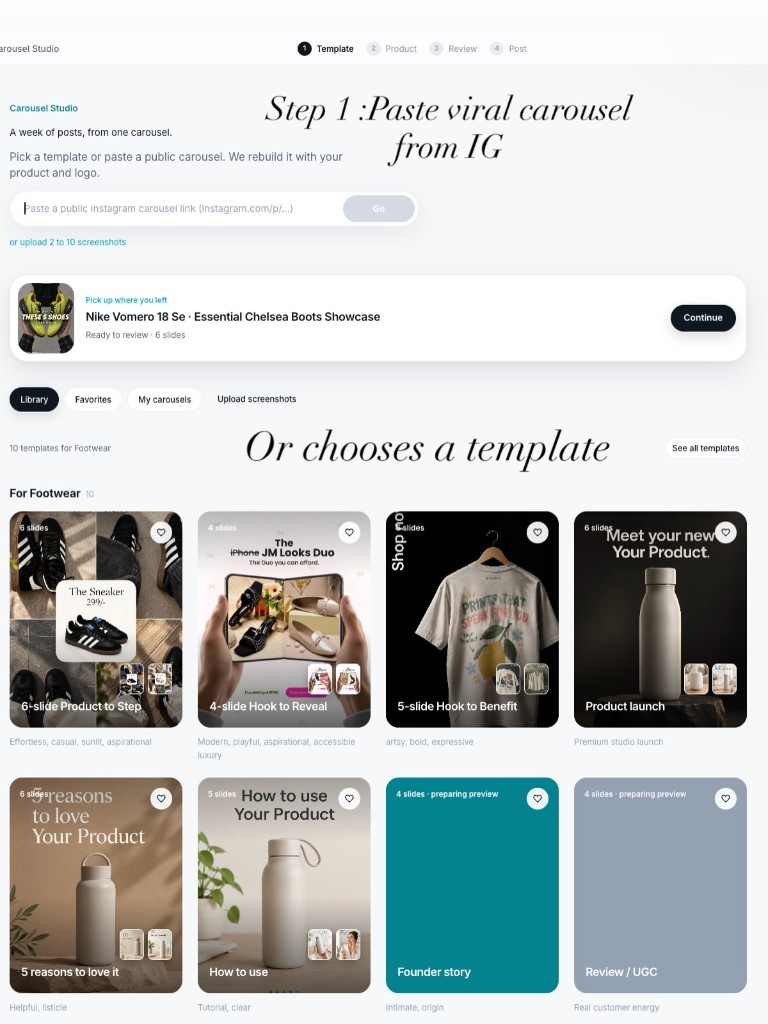
You can also:
- Upload 2 to 10 screenshots if the post is private or the link will not scrape
- Pick a ready template from the Library (footwear, beauty, apparel, launch, listicle, how-to)
This is the shortcut most people miss: you are not designing from a blank canvas. You are cloning a structure that already proved it can stop the scroll.
Step 2: Match your products to each slide
Next, tell the studio which products belong on which slides. Use one mixed carousel (great for “5 shoes in your rotation”) or generate one carousel per product.
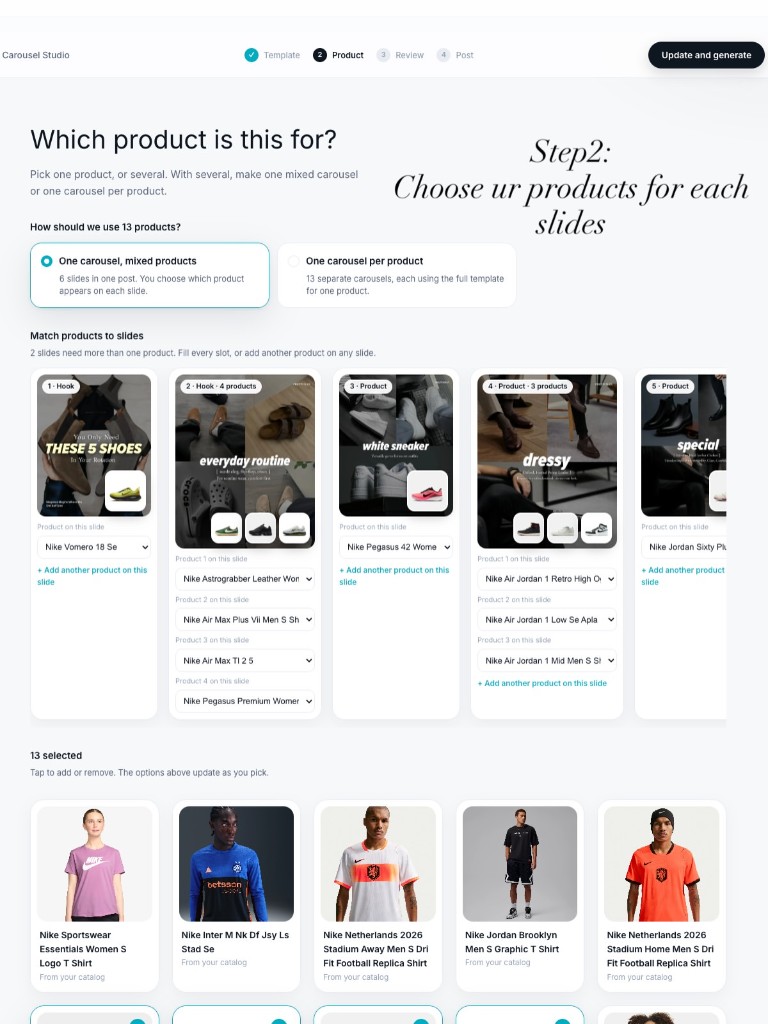
For the footwear example we:
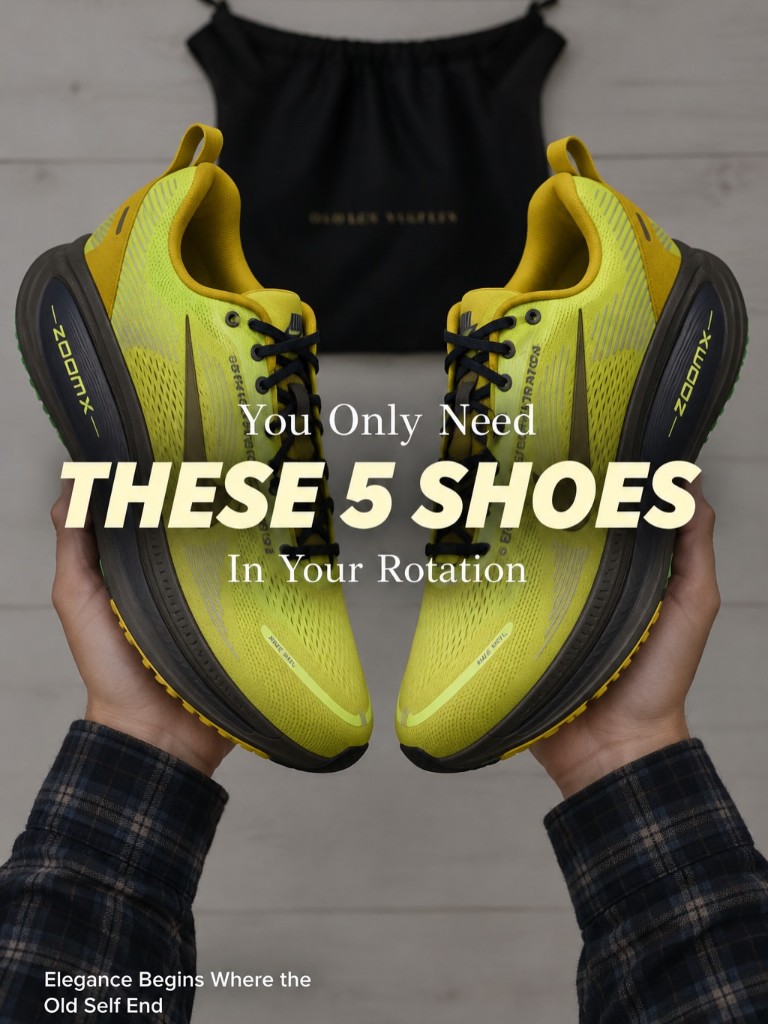
- Kept the hook slide as a listicle opener
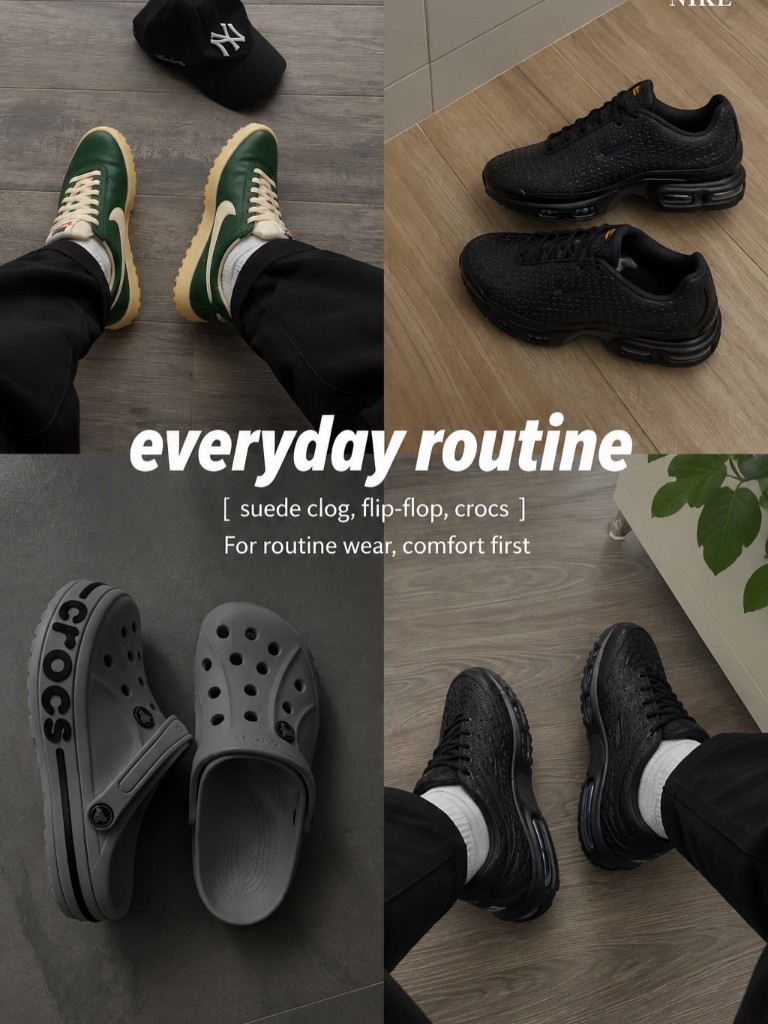
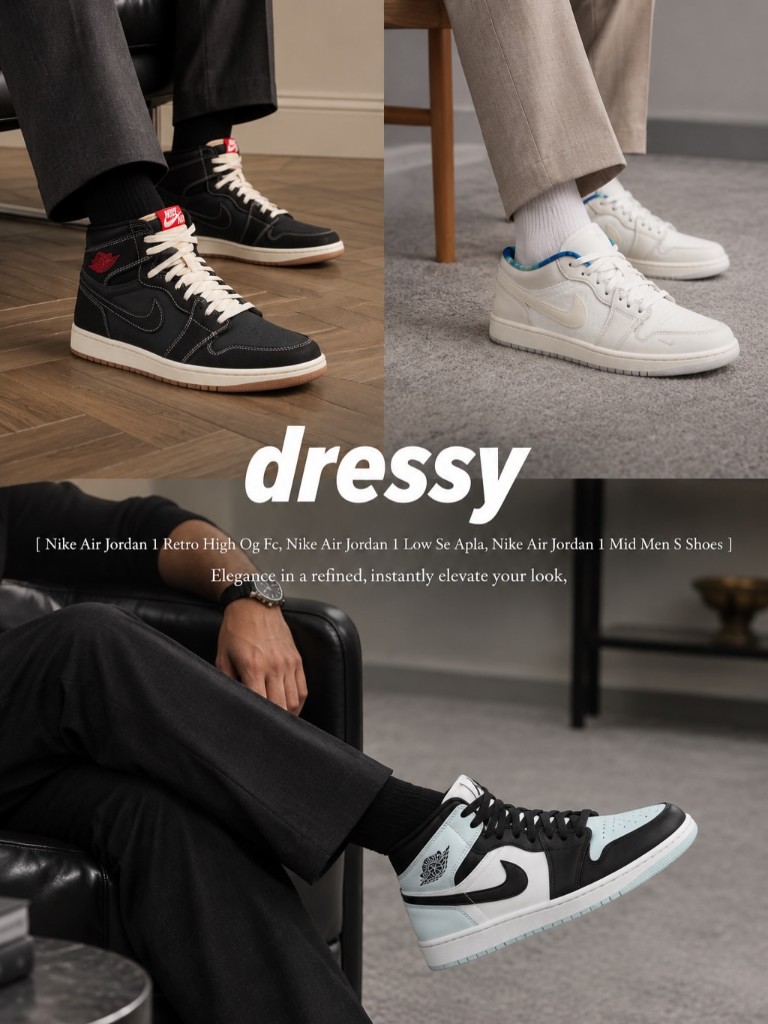
- Assigned everyday, dressy, and special shoes to the middle slides
- Let multi-product slides pull several SKUs into one collage frame
Your live catalog images become the source of truth. No zip downloads. No renaming files.
Step 3: Review every slide (and regenerate what is off)
This is where the carousel becomes yours. Open each slide, edit the on-image headline and subtitle, add a short direction (“brighter”, “closer”, “new background”), and hit Regenerate slide.
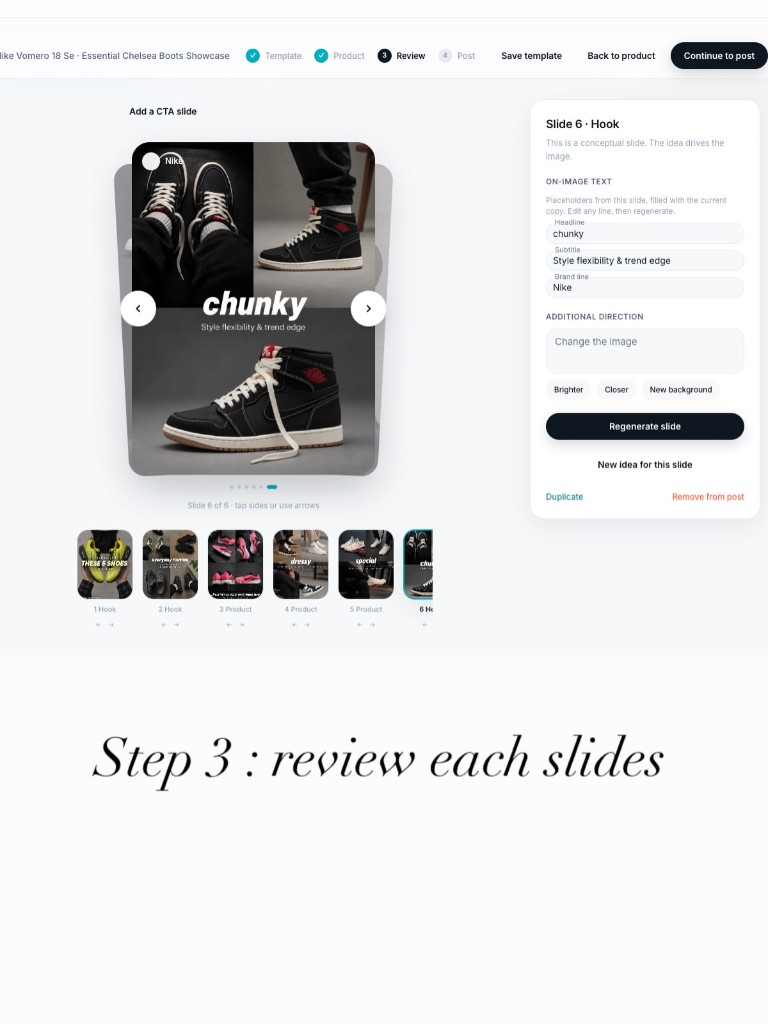
Here is what those regenerated slides looked like for the shoe brand:
Hook slide: listicle that forces the swipe
Everyday routine collage
Dressy styling slide
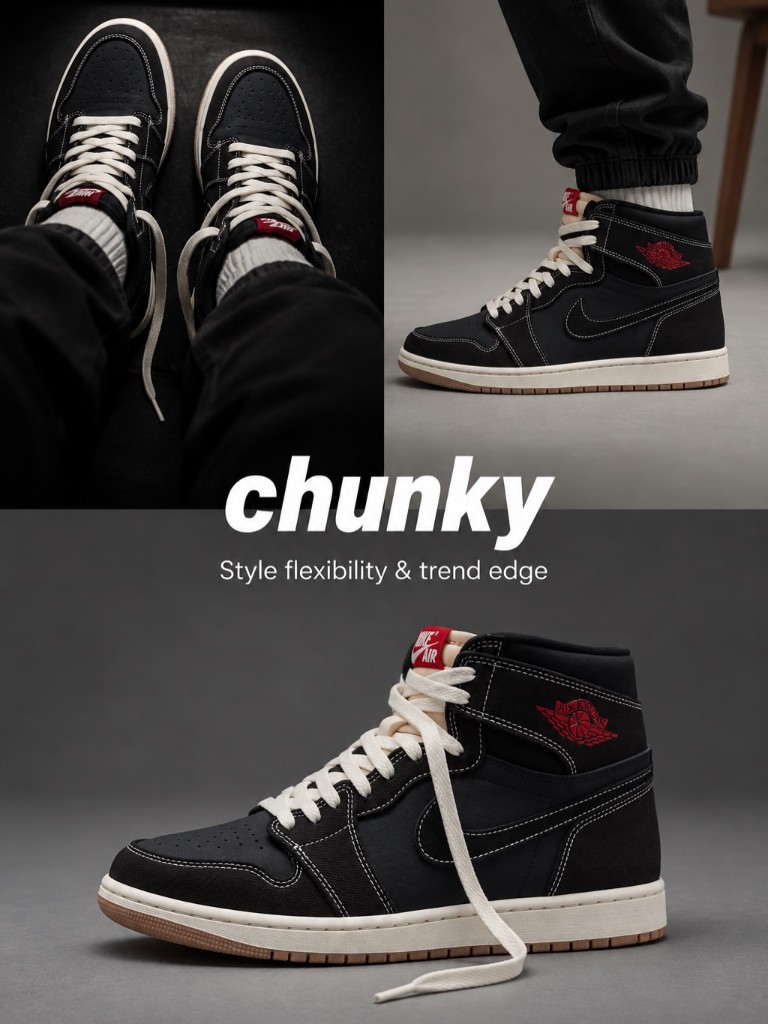
Chunky trend slide
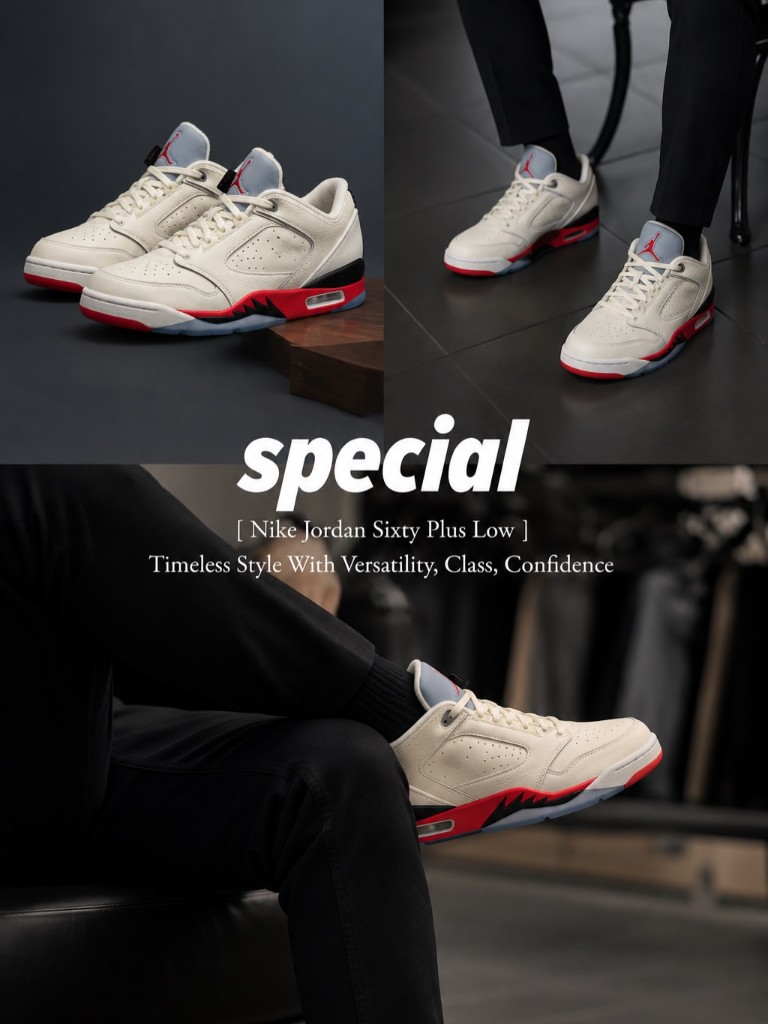
Special / statement slide
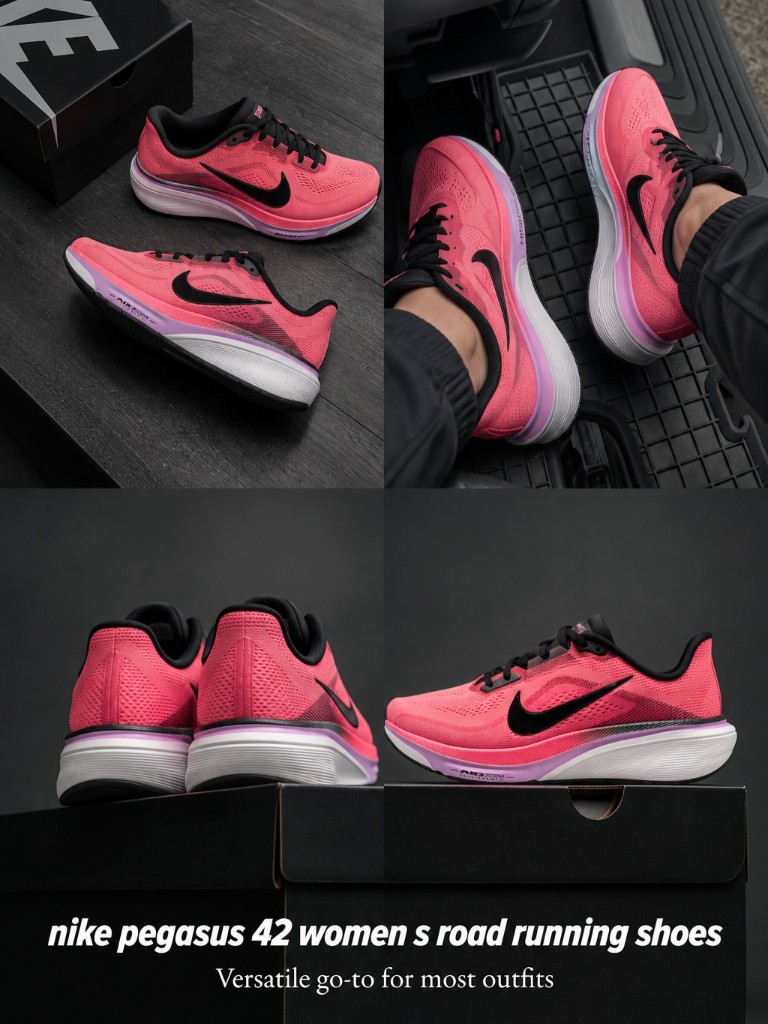
Product detail collage (Pegasus)
Spend your time here, not on layout math. The template already carries the viral structure. You are tuning product truth and brand voice.
See AI ads for your own store, free
Paste your store URL and watch OnPromptAds turn your live product catalog into ready-to-run Facebook, Instagram and Meta creatives. Founding seats, no card required.
Step 4: Post to Instagram and Facebook (or download)
When the slides look right, move to Post. Generate a caption and hashtags with AI, pick Instagram or Facebook, post now or schedule, or download every slide if your social team posts elsewhere.
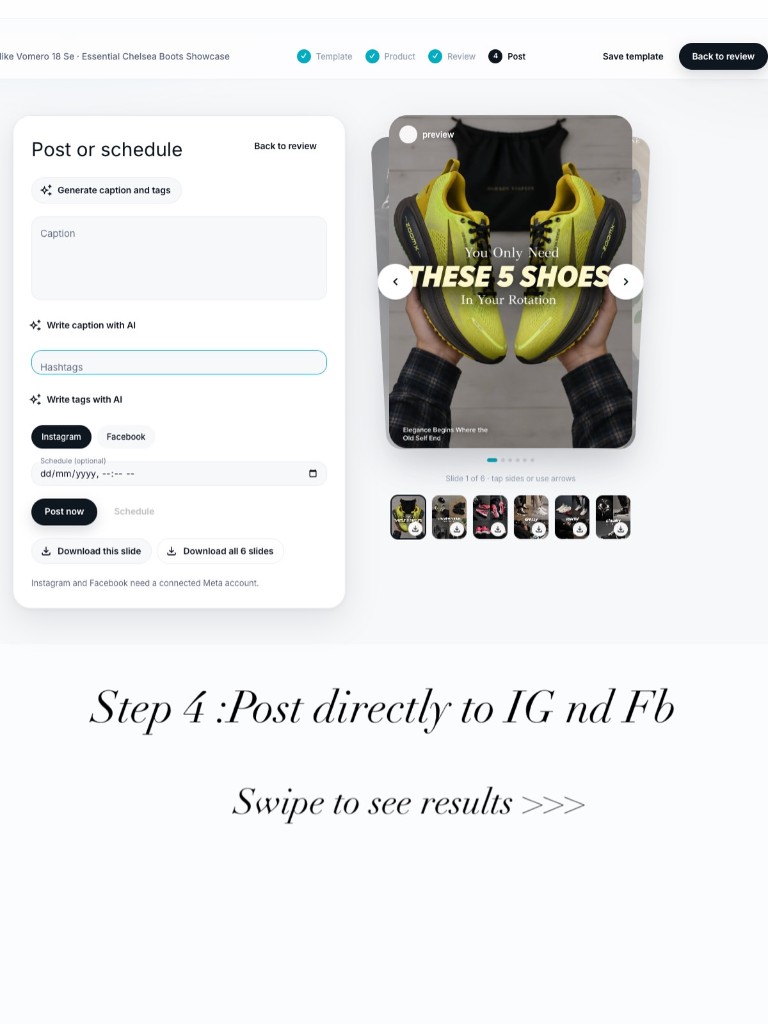
That is the full loop: viral structure in, your products out, live carousel on Meta.
How long does this actually take?
| Task | Old way (Canva / designer) | OnPromptAds Brands |
|---|---|---|
| Capture viral structure | 20–40 min of screenshots and notes | Paste link (~30 sec) |
| Rebuild layouts | 2–6 hours | Automatic from template |
| Drop in product photos | 30–90 min | Map from catalog |
| Copy and CTA | 20–40 min | Edit + AI regenerate |
| Export and upload | 15–30 min | Post or download in-app |
| Total | Half day to 2 days | Minutes |
Founding seats on OnPromptAds Brands include free credits so you can run this flow without a card. Claim a seat and open Carousel Studio.
Carousel formulas that keep going viral
Steal these structures when you paste a reference or pick a Library template:
- Listicle hook → “You only need these 5…” then one product per swipe
- Hook → benefit → product → CTA for a single hero SKU
- Everyday / dressy / special wardrobe logic for apparel and footwear
- Before product reveal with a curiosity cover, then the pack shot
- How to use sequence for skincare, supplements, and tools
The footwear example above is formula #1 plus #3. That mix is why people swipe to the end.
Who this is for
- Shopify brands that need weekly IG content without a designer
- Agencies remaking winning carousels for multiple clients
- DTC founders who see a viral post and want their catalog in that format tonight
If you already run Meta ads, use the same carousels as organic posts first, then boost winners. If you do not, start organic, learn what swipes, then open Ads Manager with creatives that already proved attention.
Frequently asked questions
How do I recreate a viral Instagram carousel with my own products?
Paste the public Instagram carousel URL into OnPromptAds Brands Carousel Studio, map your catalog products onto each slide, regenerate any frames you want to change, then post or download. The viral layout stays; the products become yours.
Do I need Canva or a designer to make Instagram carousels?
No. Carousel Studio handles layout, product insertion, text overlays, and export. You only approve slides and optionally regenerate with a short direction.
Can I post the carousel directly to Instagram and Facebook?
Yes. Connect your Meta account in OnPromptAds Brands, then use Post now or Schedule from Step 4. You can also download all slides if your team posts elsewhere.
Does this work for Shopify stores?
Yes. Sync Shopify (or import products), then assign those products to carousel slides. The same catalog powers ads, carousels, and generation studios inside OnPromptAds Brands.
Is the Instagram link required, or can I use screenshots?
Either works. Paste a public instagram.com/p/... link, or upload 2 to 10 screenshots of the slides. You can also start from a Library template with no reference post.
How is this different from ChatGPT or Midjourney for carousels?
Those tools generate loose images. OnPromptAds Brands keeps a multi-slide structure, product fidelity from your catalog, editable on-image text, and a direct path to Instagram and Facebook posting.
See AI ads for your own store, free
Paste your store URL and watch OnPromptAds turn your live product catalog into ready-to-run Facebook, Instagram and Meta creatives. Founding seats, no card required.
Start your next viral carousel today
Open OnPromptAds Brands, paste a carousel that is already working in your niche, drop in your products, and ship before the trend cools.
Create free account on OnPromptAds Brands · See the product demos · Founding pricing