How to Find Winning Shopify Ads in Meta Ad Library (Ad Spy Walkthrough)
Step-by-step guide to finding winning Shopify ads in Meta Ad Library with OnPromptAds Ad Spy, including demo screenshots and how to remix a creative for your products.
To find winning Shopify ads in Meta Ad Library, open Ad Library, install OnPromptAds Ad Spy, filter to Shopify creatives, study the longest-running or highest-traction angles, then Remix the style onto your own products in OnPromptAds Brands.
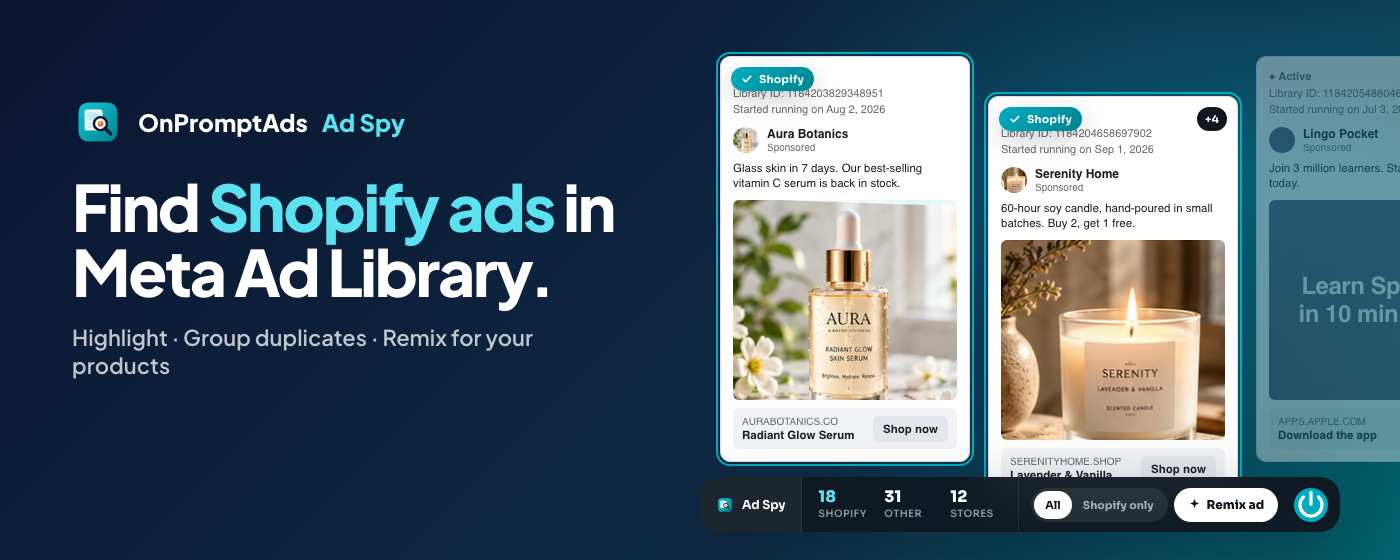
This walkthrough shows the exact loop with the same product visuals used in the Chrome Web Store listing. No agency stack required.
What you will need
- Chrome (or Chromium-based browser that loads Chrome extensions)
- OnPromptAds Ad Spy installed from the Chrome Web Store
- A free OnPromptAds Brands account when you are ready to Remix
- Optional: your Shopify catalog connected so Remix uses real products
Step 1: Install Ad Spy and open Meta Ad Library
- Install Ad Spy free from the Chrome Web Store (or start from the Ad Spy page)
- Open facebook.com/ads/library
- Search a product keyword your niche already spends on (for apparel: "jacket", "hoodie", "linen shirt"; for beauty: "serum", "sunscreen")
- Set country and active ads so you see what is running now
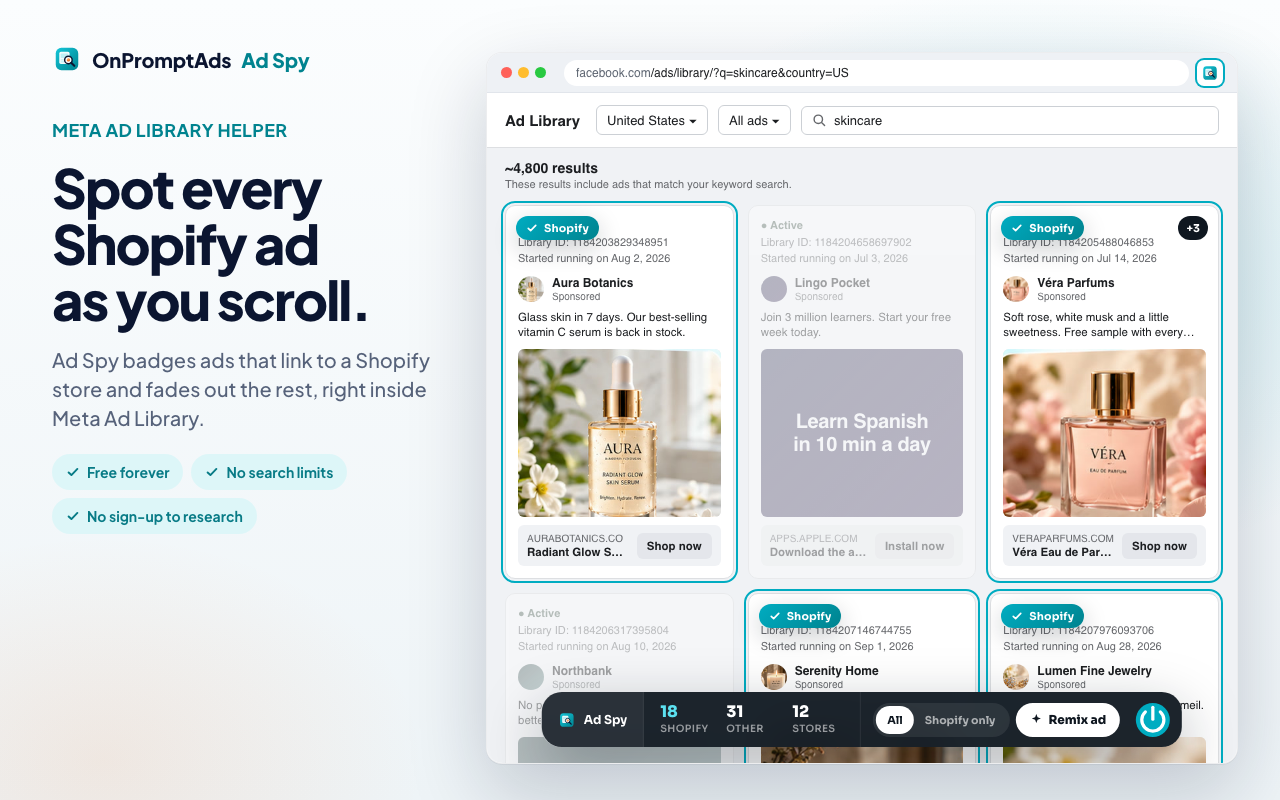
You should see the Ad Spy dock on the Ad Library page with Shopify counts and view toggles.
Step 2: Filter to Shopify ads
Meta Ad Library mixes Shopify stores, Amazon sellers, lead-gen pages, apps, and local businesses. Shopify is the signal most DTC brands care about.
In Ad Spy:
- Click Shopify only on the dock
- Scan green Shopify badges on cards
- Note store domains and how long ads have been running when Ad Library shows start dates
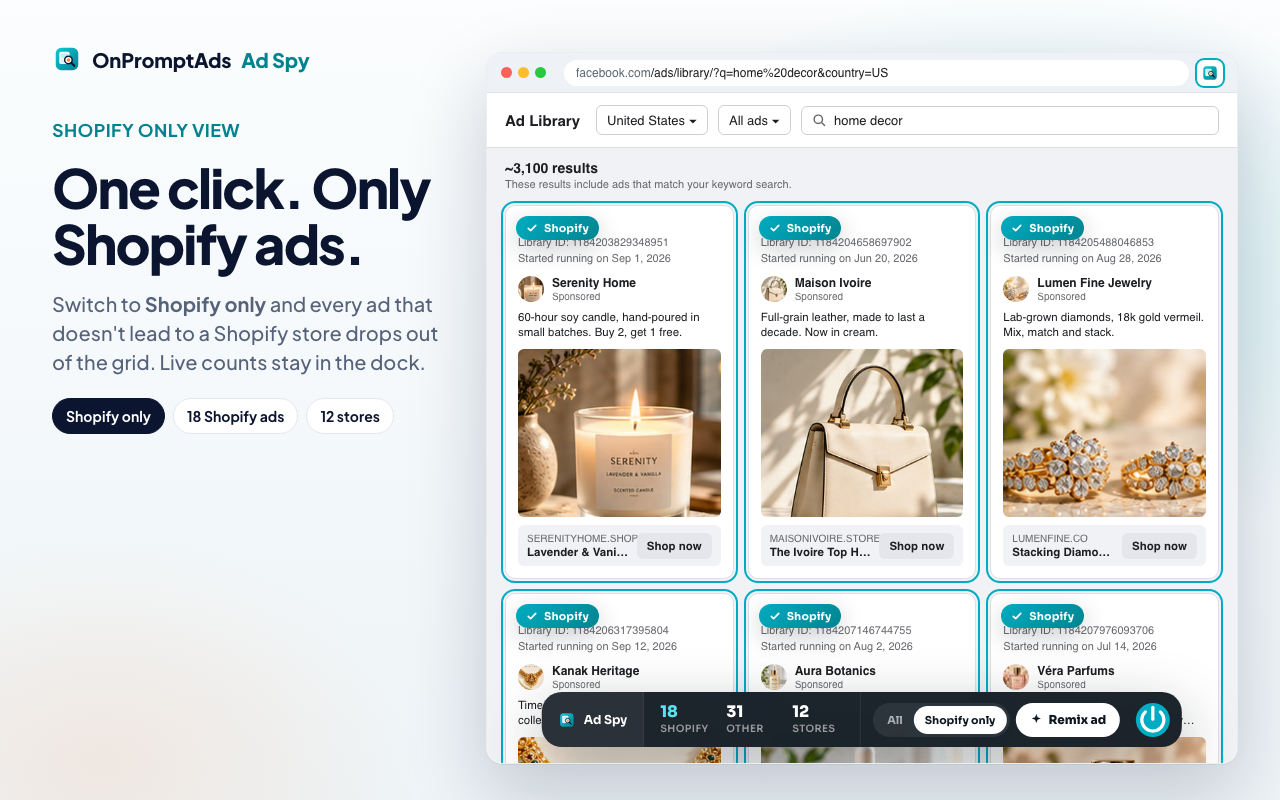
Long-running creatives with many variants usually beat brand-new tests. Variants mean the advertiser found an angle worth scaling.
Step 3: Group duplicates and pick the real winner
Winning ads rarely appear once. They spawn color swaps, hook tests, and crop tests.
Ad Spy groups near-duplicates so you can ask:
- What is the core hook (problem, proof, offer, UGC, demo)?
- Is the product hero clear in the first frame?
- Is the CTA offer-led or brand-led?
- Would this angle work for your product without their trademark?
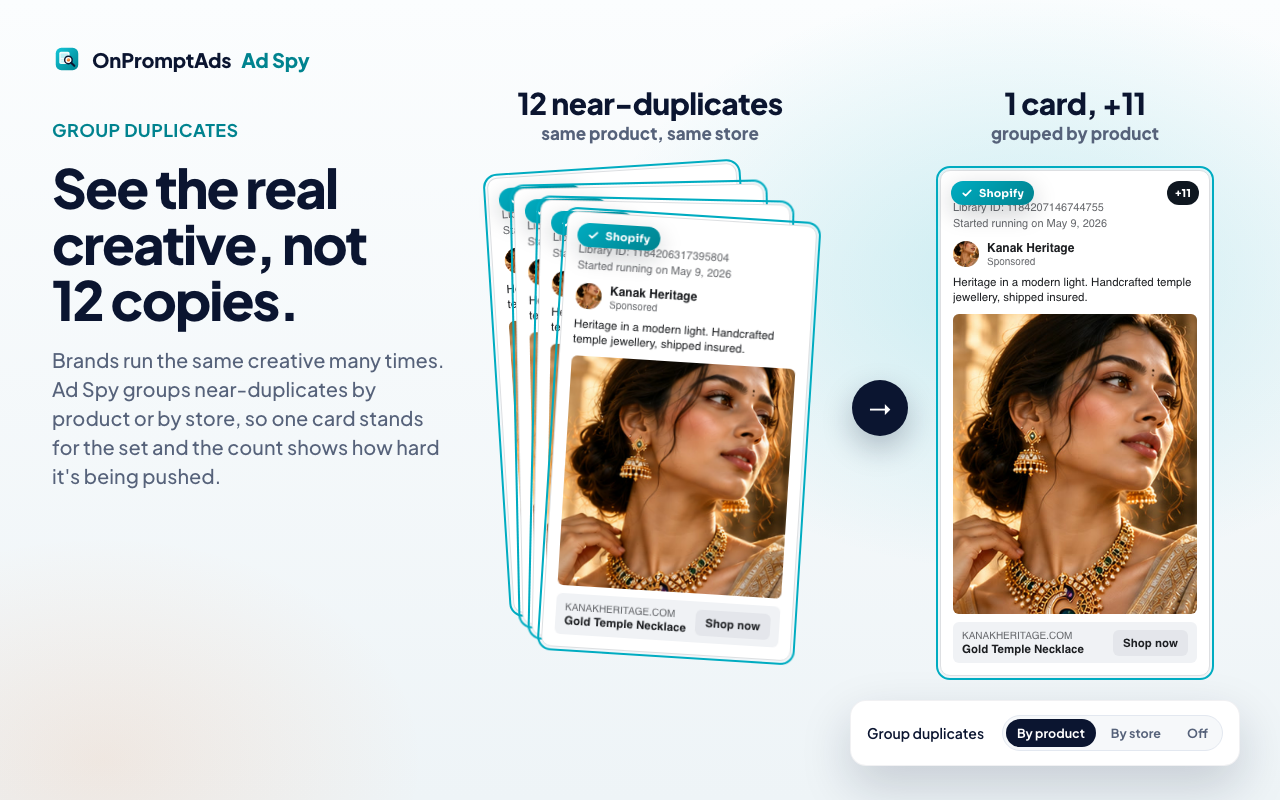
Pick one creative you would actually steal the structure from, not the logo.
Step 4: Open Remix from the creative
On a card you like:
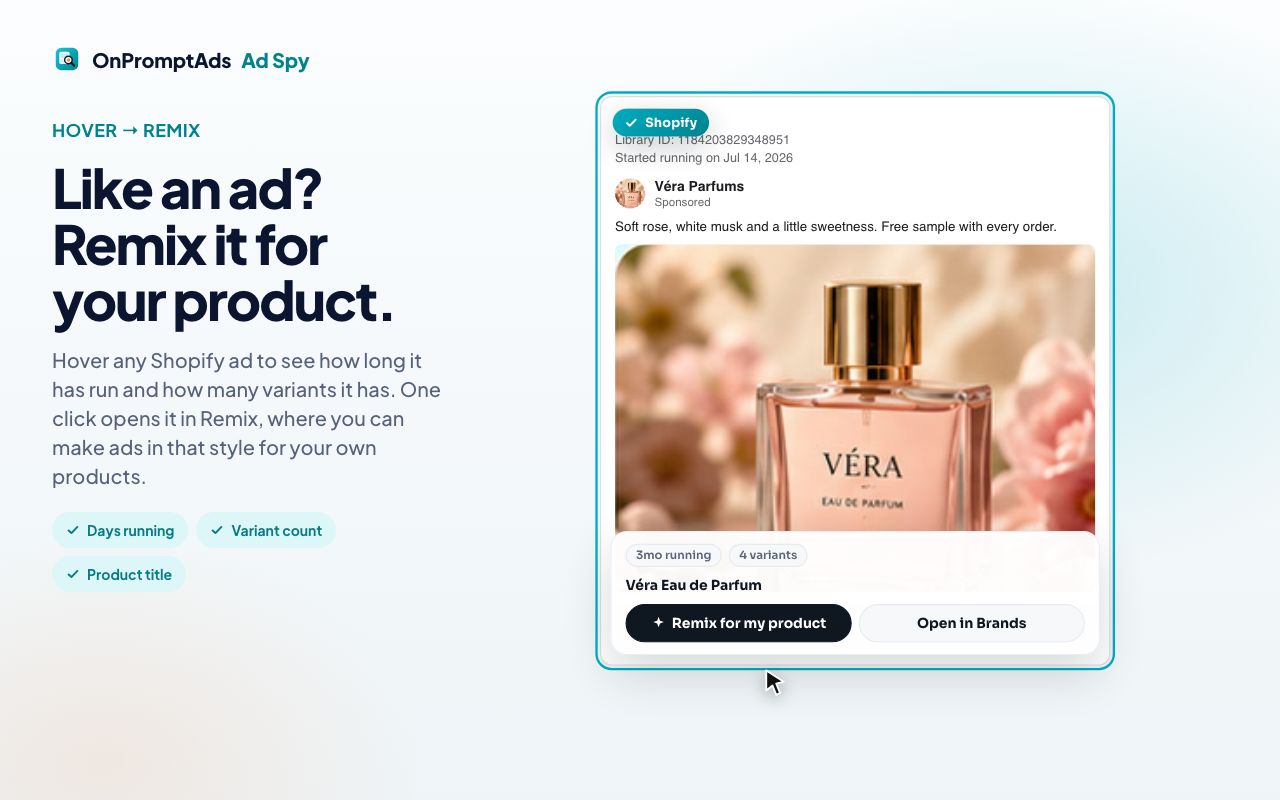
- Click Remix (or Open Brands) from the Ad Spy overlay
- Sign in to Brands if prompted
- Land in Remix with the creative attached
- Extract the style into a reusable prompt
- Generate with your product and models
Competitor branding is stripped where possible. Your catalog becomes the hero.
Step 5: Review in Competitors, then generate volume
Inside Brands:
- Open Competitors to browse creatives worth revisiting
- Track stores you want to watch weekly
- Remix 3 to 5 angles per hero product, not one perfect ad
- Publish or download for Meta once product fidelity looks right
Volume beats perfection. Meta rewards creative variety more than one polished static.
See AI ads for your own store, free
Paste your store URL and watch OnPromptAds turn your live product catalog into ready-to-run Facebook, Instagram and Meta creatives. Founding seats, no card required.
Keyword research tips inside Ad Library
Use Ad Library search the way buyers search, not how you name SKUs.
| Niche | Starter queries |
|---|---|
| Apparel | oversized hoodie, linen pants, winter jacket |
| Beauty | vitamin c serum, mineral sunscreen, lip oil |
| Home | weighted blanket, ceramic mug set, desk lamp |
| Fitness | resistance bands, creatine gummies, yoga mat |
| Pets | dog harness, calming treats, slow feeder |
Also search competitor page names when you already know them. Keyword mode finds unknown winners; page mode deepens a known rival.
Common mistakes
- Screenshotting everything, producing nothing. Research without Remix is a mood board.
- Copying claims you cannot prove. Style is fair game. False scarcity and medical claims are not.
- Ignoring your own product truth. If the winner is UGC unboxing and you only have studio packs, adapt the hook, do not fake the format.
- Judging ads from one country. Delivery and offers differ by market. Match the country you sell in.
- Stopping at "pretty." Prefer long-running ads with variants over brand-new polished one-offs.
A 20-minute weekly routine
- 5 min: Search two keywords + one competitor page
- 5 min: Shopify-only pass, save 3 creatives
- 8 min: Remix two angles onto one hero SKU
- 2 min: Queue or publish the best output
That cadence beats a monthly "competitive audit" slide deck.
For rankings versus other Chrome helpers, see best Facebook Ad Library Chrome extensions 2026. For spy suites versus Remix workflows, see Facebook ad spy tools compared.
See AI ads for your own store, free
Paste your store URL and watch OnPromptAds turn your live product catalog into ready-to-run Facebook, Instagram and Meta creatives. Founding seats, no card required.
Frequently asked questions
How do I find Shopify ads in Facebook Ad Library?
Install OnPromptAds Ad Spy, open Meta Ad Library, search your niche keywords, then use Shopify-only view so non-Shopify creatives drop out of focus.
How can I tell if a Facebook ad is working?
Public Ad Library does not show ROAS. Proxies that matter: long run dates, many variants of the same angle, and repeated spend across placements. Treat them as signals, not proof.
Can I download competitor ads from Meta Ad Library?
Ad Library lets you view public creatives. For your own ads, create originals. Ad Spy + Remix is built to turn inspiration into new creatives for your products, not to republish someone else's ad.
Does this work if I am not on Shopify?
Yes for research. Shopify highlighting is strongest for Shopify storefronts. You can still Remix into Brands with other catalogs or imported products.
Is Meta Ad Library free?
Yes. The Ad Spy Chrome helper is free for research. Generating and publishing your own ads happens inside OnPromptAds Brands.
How is this different from hiring a media buyer to "spy"?
A buyer can do deeper account strategy. Ad Spy removes the slowest part of creative research: finding Shopify winners and turning one into on-brand tests the same day.